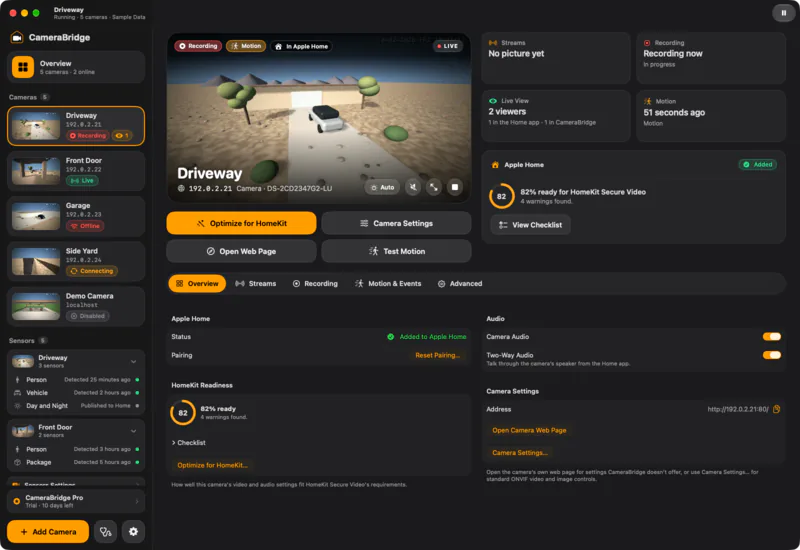
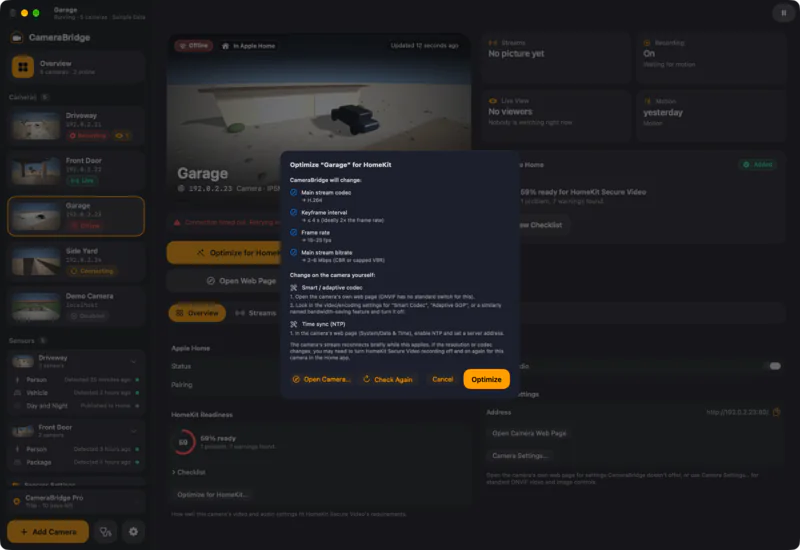
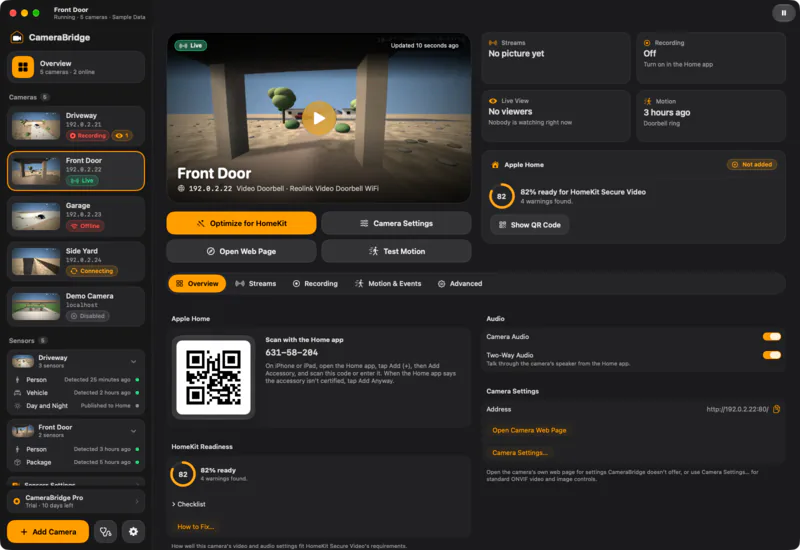
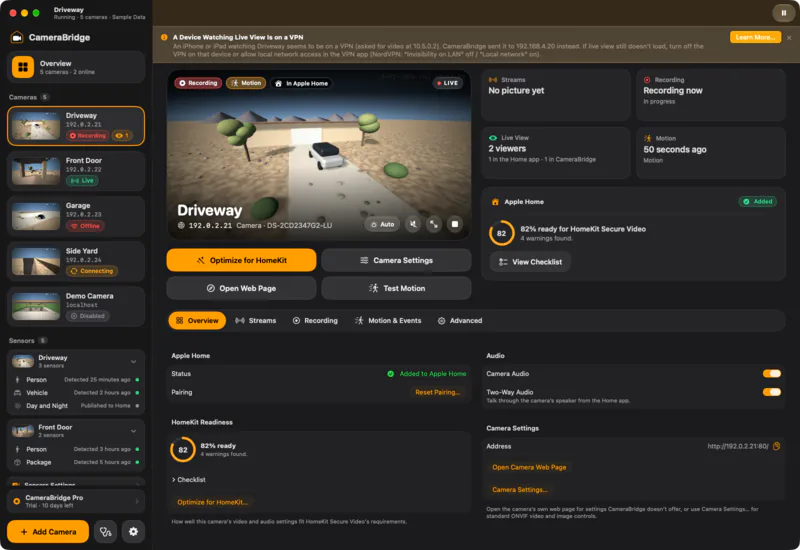
Every camera, its own page.
A live picture, Apple Home status and a HomeKit readiness score, side by side.
Camera Bridge for Mac
Camera Bridge connects any camera with an RTSP stream or ONVIF support to Apple Home, with HomeKit Secure Video recording, live view and doorbell alerts. It runs on your Mac. Nothing goes to our servers.
Coming soonto the Mac App Store. Requires macOS 27 and a home hub for HomeKit Secure Video.

30
cameras and doorbells with built-in HomeKit Secure Video
Counted from Apple's list and manufacturers.
35,000+
ONVIF-conformant products exist
That includes recorders and more than cameras. Most cameras with an RTSP stream work.
1
PoE camera with built-in HomeKit Secure Video
None is an outdoor dual-lens or optical-zoom PTZ camera.
Record to iCloud, end to end encrypted. Your cameras get HomeKit Secure Video.
People, animal, vehicle and package detection, activity zones, and live view on iPhone, iPad, Mac, Apple TV and Apple Watch.
Doorbells ring like real HomeKit doorbells. On every Apple device.
Chimes, rich notifications and two-way audio on supported cameras and doorbells.
No account. No cloud. Passwords stay in your Mac's Keychain.
Video leaves your network only through Apple's own HomeKit Secure Video.



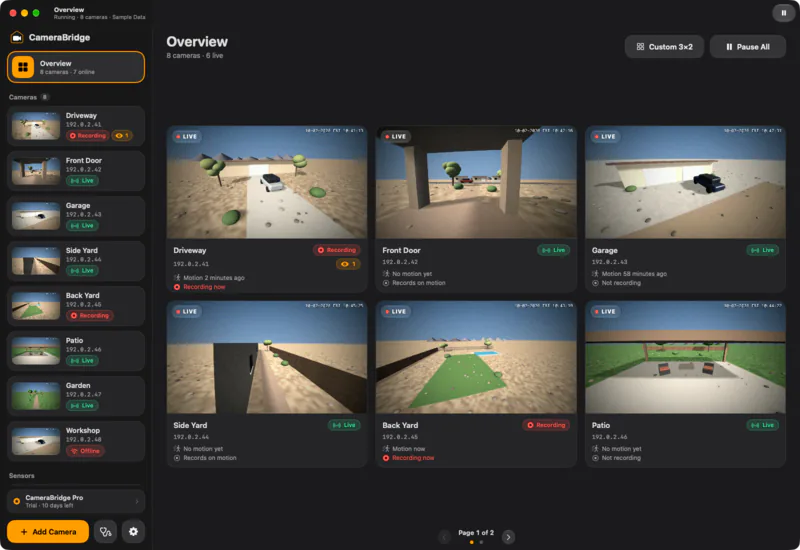
Overview
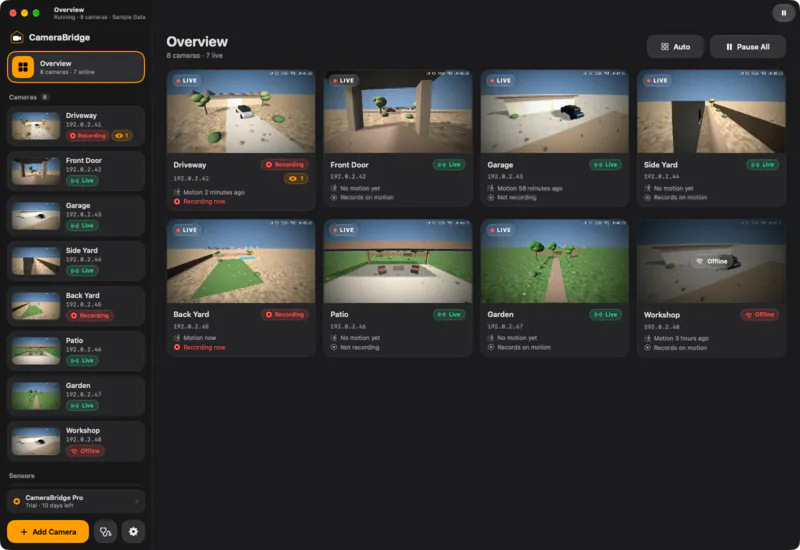
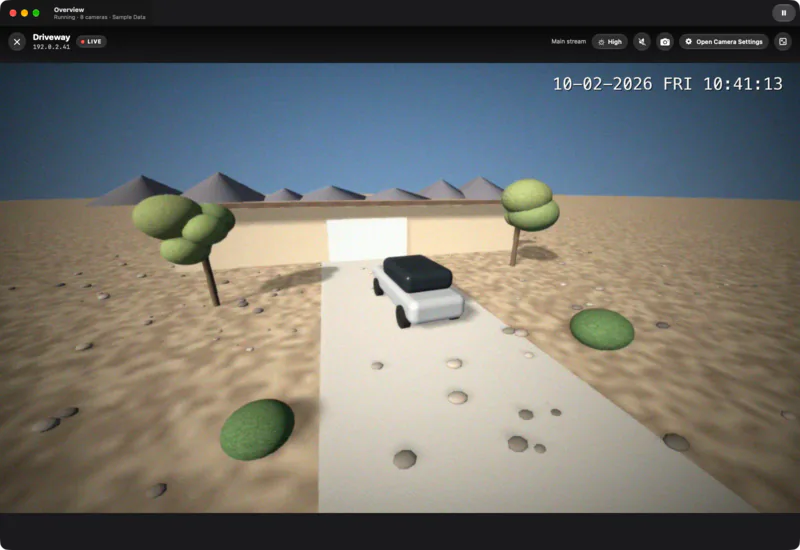
Play All turns the Overview into a wall of live pictures. Double-click any camera to watch it full window, with sound on request and Save Snapshot. Pictures play only while you can see them.
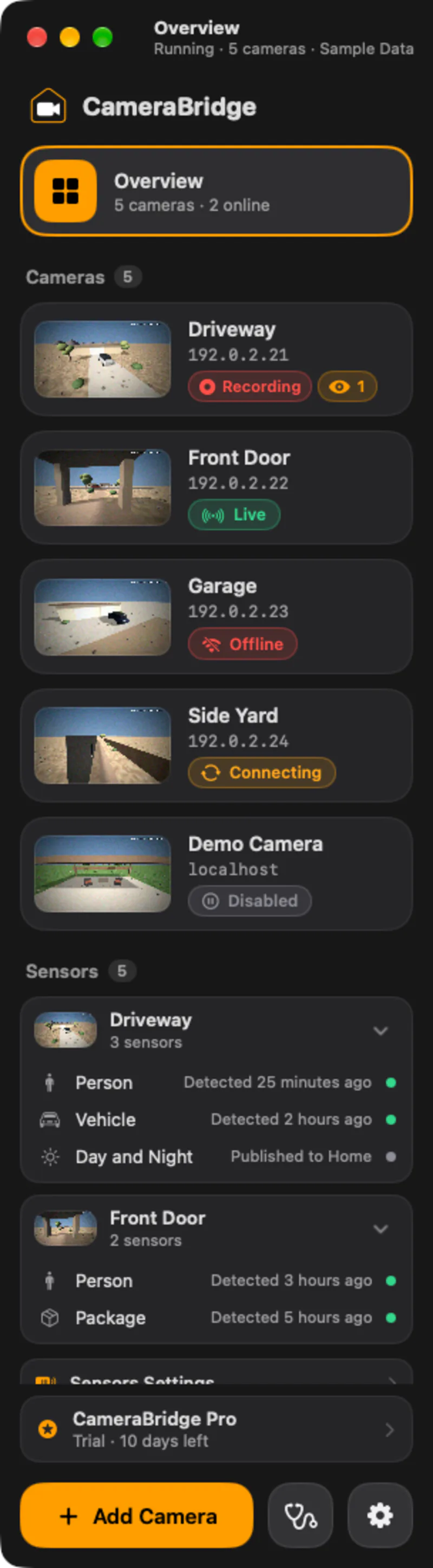
Sensors
Person, vehicle, animal, package, day and night: the detections your cameras make become sensors in the Home app, for automations. The sidebar groups them under each camera and shows when each one last fired.
VPN notice
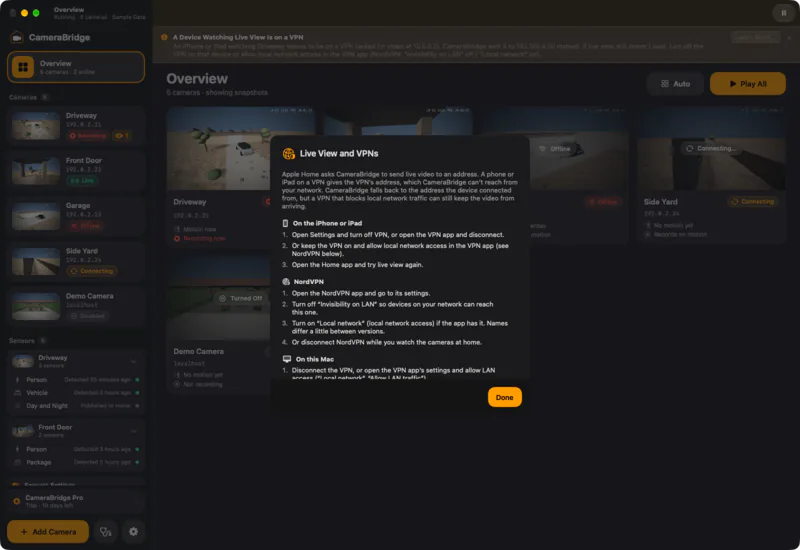
A VPN on an iPhone, iPad or this Mac can stop the Home app from reaching a camera, and live view just spins. Camera Bridge notices, names the camera and the device, and Learn More shows what to change in the VPN app.
Motion clips go to iCloud, end to end encrypted, with people, animal, vehicle and package detection.
Low-latency video in the Home app on iPhone, iPad, Mac, Apple TV and Apple Watch.
Presses become real HomeKit doorbell events, with chimes, rich notifications and two-way audio.
An Overview of every camera, live, in the layout you choose, and a full-window viewer for one.
Checks codec, keyframes, sub stream, time sync and ONVIF access, fixes what it can, and can undo it.
Draws the Mac's clock on live view and recordings, and can hide the camera's own.
A readable log, a plain-English message for each problem and a one-click export.
No account. Video stays on your network except through Apple's own HomeKit Secure Video.
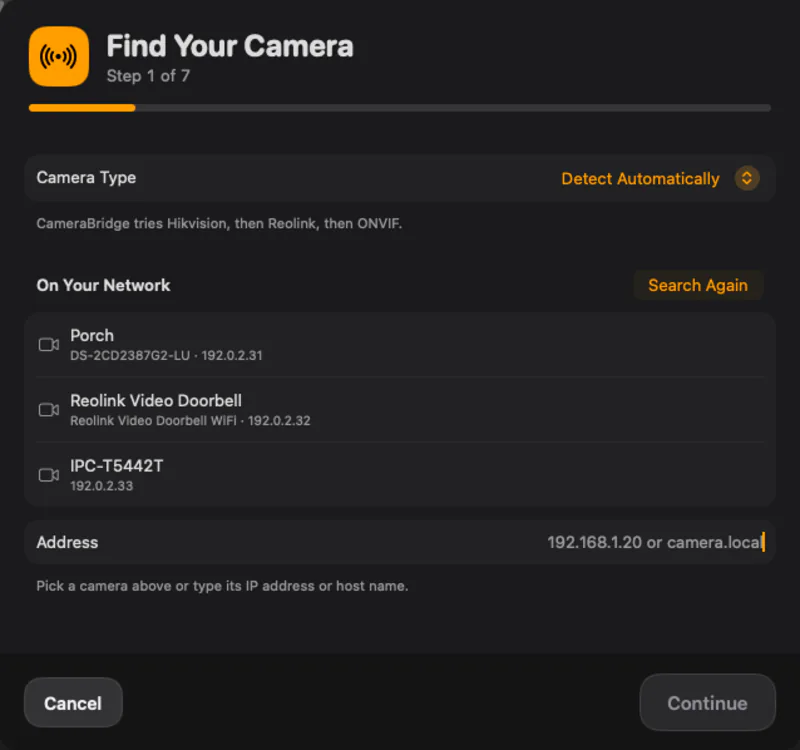
Pick it from the list or type its address. Camera Bridge detects the type, streams and events.
Review what will change, then apply it. For what only the camera can change, you get the steps.
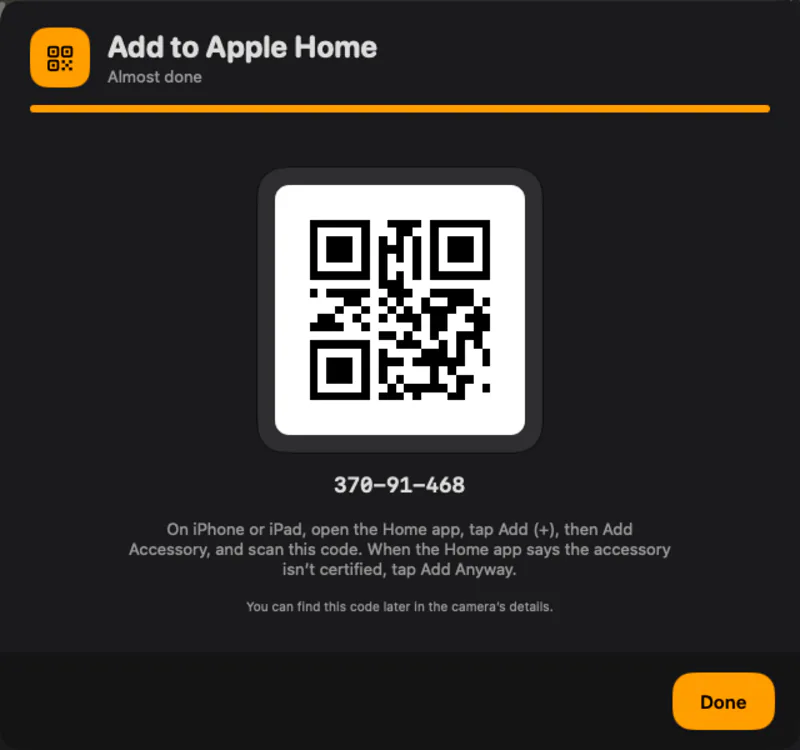
Open the Home app, add the accessory and turn on recording.
If it has an RTSP stream or speaks ONVIF, it can be in Apple Home. That covers most IP cameras, PoE cameras, NVR-connected cameras and video doorbells.
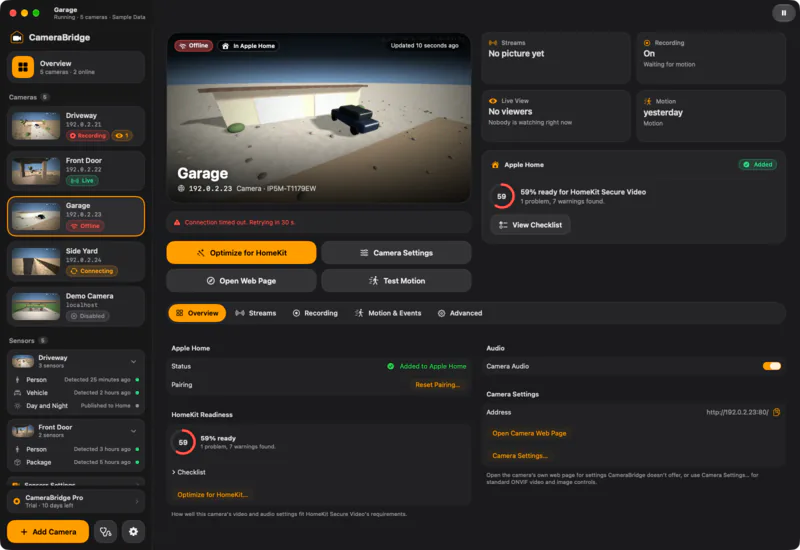
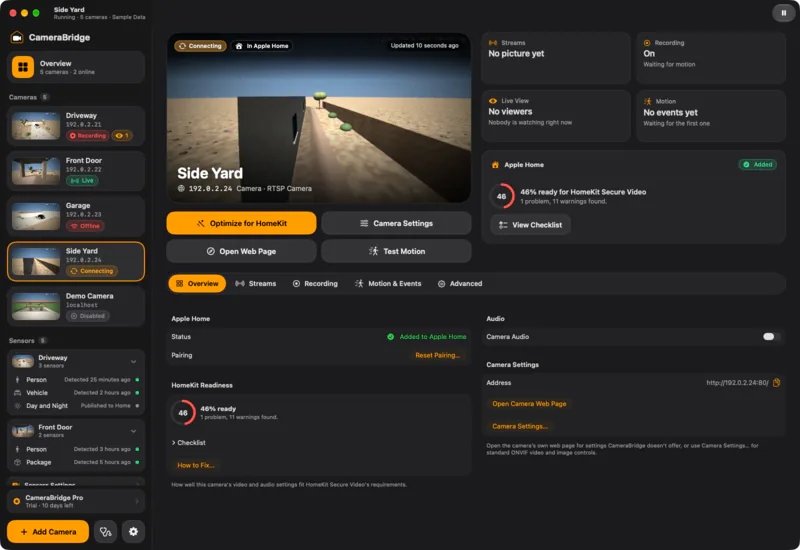
Errors, warnings and empty states, with plain-language messages. Open any screenshot to see it full size.
One camera is in Apple Home for free, with recording. Camera Bridge Pro puts every camera there.
Launch pricing — coming soon to the Mac App StorePrices in US dollars; they vary by country or region.
$0 for as long as you like
Monthly and yearly renew automatically until you cancel in your Apple Account settings. Lifetime is a one-time purchase. Purchases are handled by Apple; Camera Bridge never sees payment details. If a trial or subscription ends, one camera stays in Apple Home and the others keep working in Camera Bridge.
Add cameras and accessories to your cart, then check out on Amazon.
As an Amazon Associate I earn from qualifying purchases. We may earn a commission from links on this page at no extra cost to you.
A Mac running macOS 27 that stays on, a camera with an RTSP or ONVIF stream and, for HomeKit Secure Video recording, a home hub (Apple TV or HomePod) and an iCloud+ plan.
No. Camera Bridge runs on your Mac. Live video reaches the Home app through HomeKit, and recordings go to your own iCloud. See the Privacy Policy.
Any camera with an RTSP stream, and ONVIF Profile S or T cameras, which add discovery, settings and motion events. Video doorbells that offer RTSP and ONVIF events work too. Many battery and cellular cameras have no RTSP stream, so check your model first. See supported cameras.
One camera is in Apple Home for free, with recording. Camera Bridge Pro puts every camera there: $2.99 a month, $19.99 a year or $49.99 once, with a 14-day free trial. These are launch prices; the app is coming soon to the Mac App Store. See pricing.
Yes. Cameras are available in Apple Home only while the Mac is on and awake. Camera Bridge can keep it awake and start at login.
Camera Bridge is coming soon to the Mac App Store. It requires macOS 27, and a home hub for HomeKit Secure Video.